Commissioning dashboards and reporting built on your live data
Instead of cross-referencing CxAlloy exports, P6 reports, and spreadsheets, CxLens gives you one live view of where your commissioning program stands, and the ability to turn it into formatted reports your GC or developer can read.
The reporting problem on most projects
Most teams are good at finding issues and completing checklists. The reporting is where time goes. Someone exports from CxAlloy, someone else pulls the schedule, and a weekly report gets assembled by hand from both. By the time it is shared, it is already behind the field.
CxLens reads those sources directly and keeps the views current, so the weekly conversation can be about decisions rather than about whose numbers are right.
The dashboards
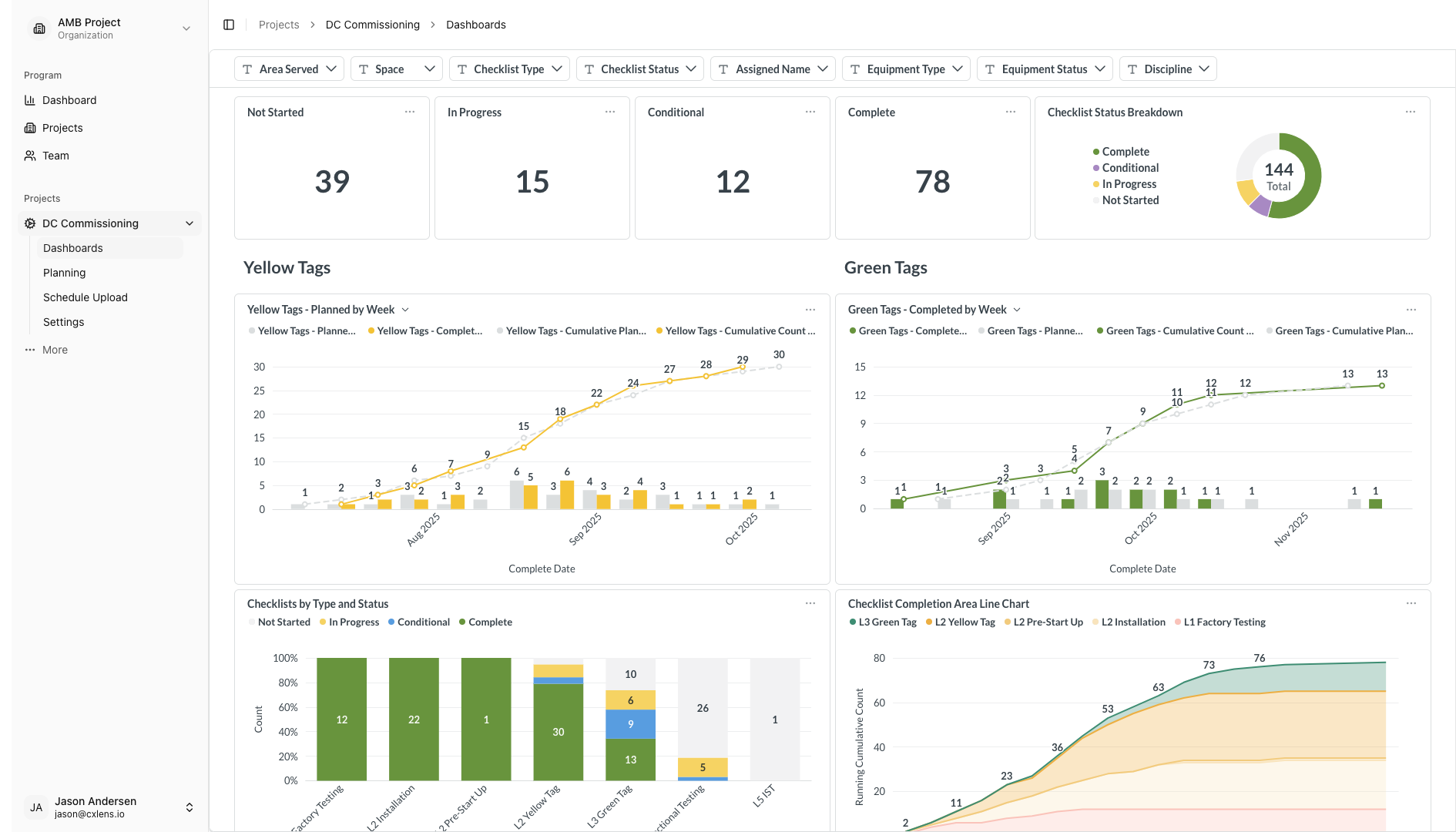
Checklists
Track yellow and green tag checklists as planned versus actual, so you can see whether the program is keeping pace with the plan.
Checklists dashboard documentation →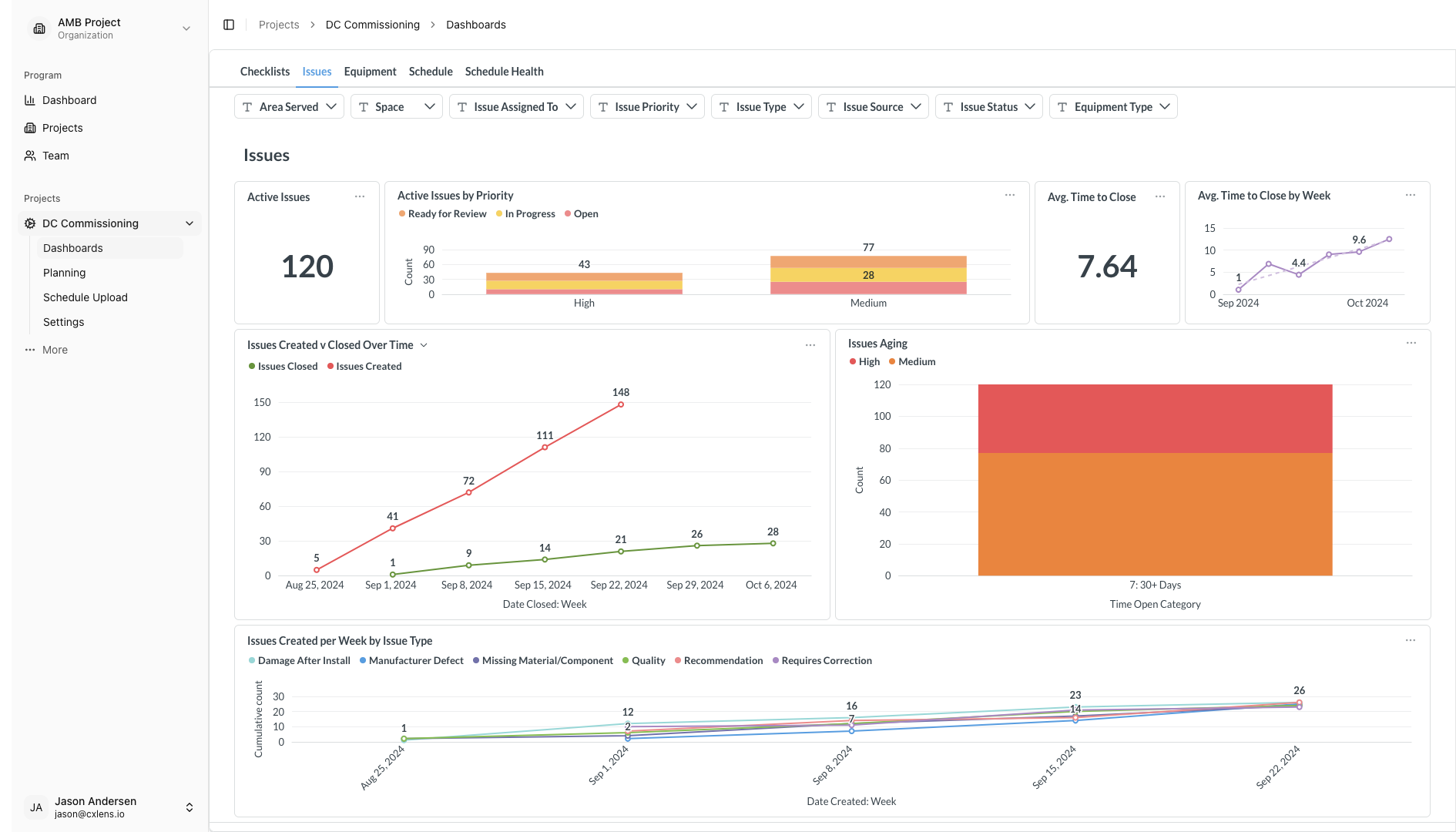
Issues
See open issues alongside the equipment they relate to, in one live view instead of a filtered export.
Issues dashboard documentation →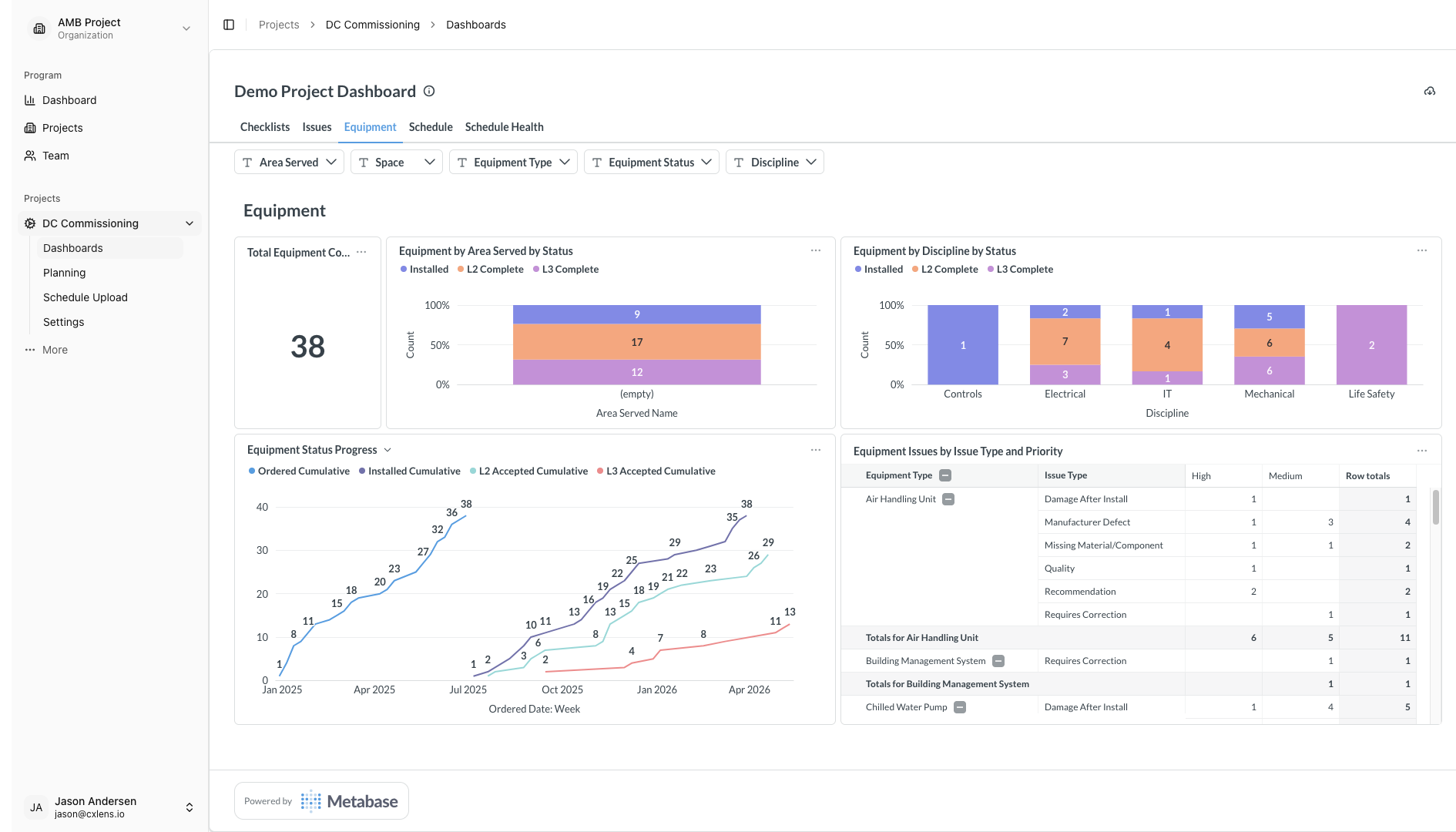
Equipment
Follow equipment status across the program and drill into any system or tag.
Equipment dashboard documentation →Two more dashboards cover the schedule: the schedules view with baseline and current dates, and schedule health checks on every upload. Both are part of schedule connection.
Progress tracking and program rollups
Planned vs actuals
A side-by-side of what was planned for a period against what was completed, at the system or equipment level.
Schedule Performance Index
SPI is calculated automatically. Above 1.0 means ahead of schedule and below 1.0 means behind, and it is tracked over time so you can see which way it is trending.
Program-level rollups
For managers overseeing several projects, roll up SPI, completion percentages, and open issue counts. Filter by project, system type, responsible team, or date range, and compare projects side by side.
From dashboard to deliverable
A dashboard is only useful to the people who open it. Your GC, developer, or owner needs something they can read. CxLens turns tracked issues and schedule impacts into structured, formatted reports, so the story of what happened and why does not have to be rebuilt from screenshots.
Dashboards and reports are built around your KPIs during implementation, rather than shipped as a fixed template. See how an engagement works.
If you want to start with something free, our guide to reporting commissioning issues includes a spreadsheet template with six charts and a deep-dive page, built with plain formulas.
Go deeper
- Features documentation
- Ask questions of the same data with the agentic commissioning assistant
- Commissioning software compared: a practical guide to the options
More CxLens features
Talk to us about your project
We'll go through your commissioning challenges and tell you whether CxLens can help.
Or email us directly: hello@cxlens.io